Only the fields that matter
A block schema is the whole editor configuration. Mark a field required, give a dropdown its options, limit a list to five items — the editor follows.
- No unused panels
- No settings editors can break
- Typed with
BlockSchema
{ type: 'pageHero', label: 'Page hero', fields: [t('eyebrow', 'Mono eyebrow'), t('heading', 'Heading', true), ta('intro', 'Intro'), t('ctaLabel', 'CTA label'), t('ctaUrl', 'CTA URL'), t('ctaSecondaryLabel', 'Secondary CTA label'), t('ctaSecondaryUrl', 'Secondary CTA URL')],}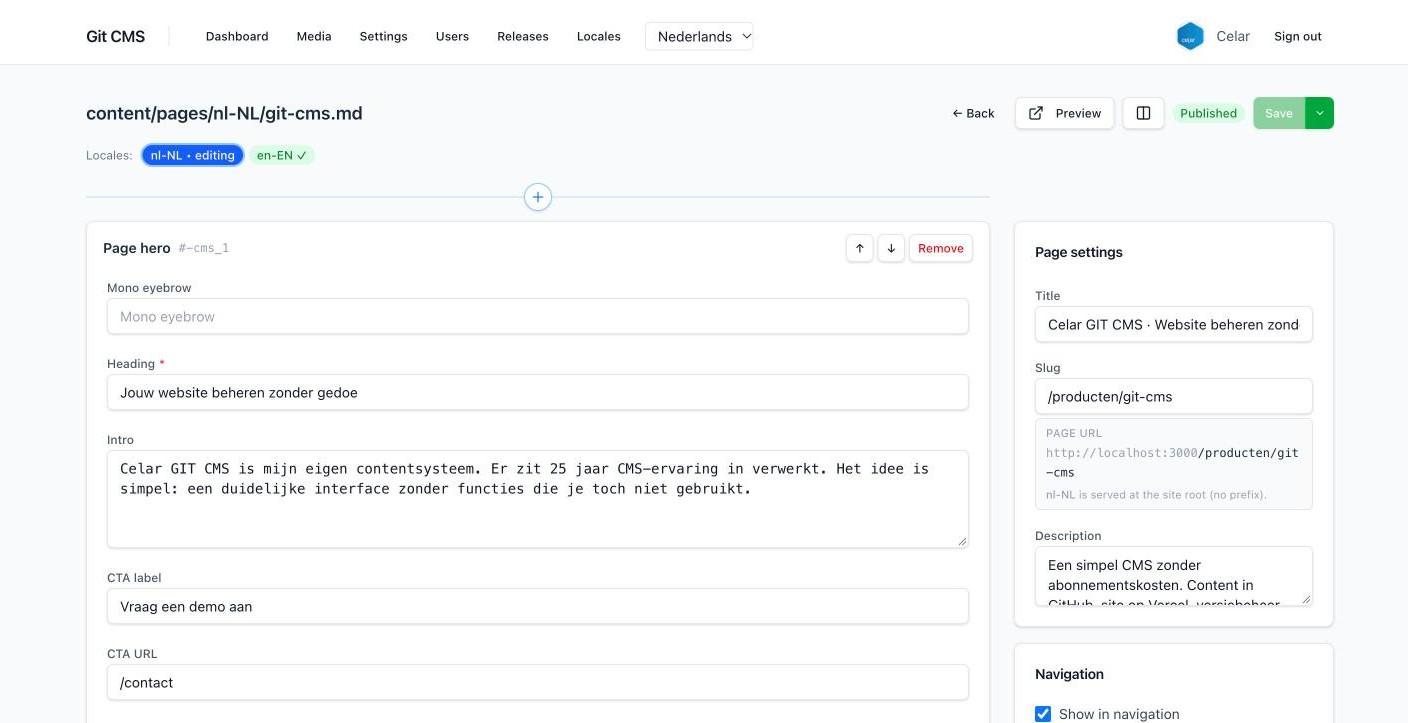
Your blocks, your UI
git-cms never decides how your site looks. You compose blocks in the schema, editors fill them in, and each website renders the data with its own components.
You define the block
cms.config.ts{ type: 'steps', label: 'Steps', fields: [ text('title', 'Title'), { name: 'items', label: 'Steps', fieldType: 'blocklist', allowedBlocks: ['stepItem'], minItems: 2, maxItems: 5 }, ], }, { type: 'stepItem', label: 'Step', nestedOnly: true, fields: [ text('title', 'Title', true), textarea('description', 'Description', true), textarea('code', 'Code'), dropdown('language', 'Code language', ['bash', 'ts', 'tsx', 'json'], 'bash'), ], },git-cms stores the data
Markdown frontmatter---title: "Home"slug: /pageSchema: pageblocks: - id: st-1 type: steps title: "Up and running in three steps" items: - id: s1 type: stepItem title: "Install the package" description: "Add git-cms to your Next.js app." code: "npm install @celar/git-cms" language: bash---Your site renders it
components/blocks/StepsBlock.tsxexport function StepsBlock({ block }: { block: BlockInstance }) { const steps = items(block, 'items').filter((item) => str(item, 'title') !== '') if (steps.length === 0) return null // … <ol className="grid gap-10 md:grid-cols-3 md:gap-8"> {steps.map((item, index) => { const code = str(item, 'code') return ( <li key={item.id} className="min-w-0"> <Step number={index + 1} title={str(item, 'title')} description={str(item, 'description')} code={code ? { code, language: option(item, 'language', LANGUAGES, 'bash') } : undefined} /> </li> ) })} </ol>
Same CMS, different websites

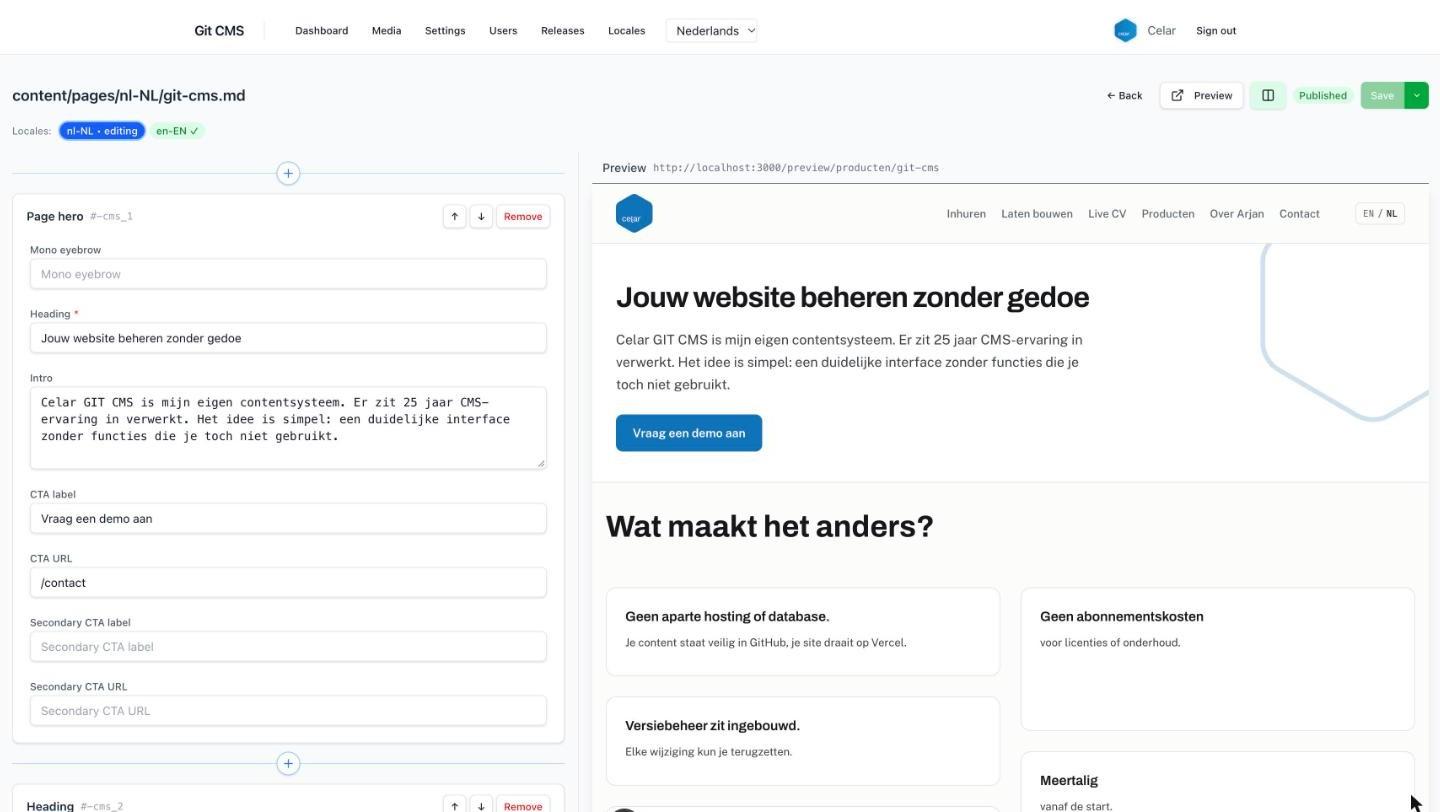
See your site change while you type
Open the live preview next to the editor and your real website updates on every keystroke — before anything is saved.
Preview runs on its own route, so public pages stay static and ship no preview code. It is optional: set GIT_CMS_PREVIEW_KEY and GIT_CMS_PUBLIC_URL to turn it on, leave them out to turn it off.
Content that lives in Git
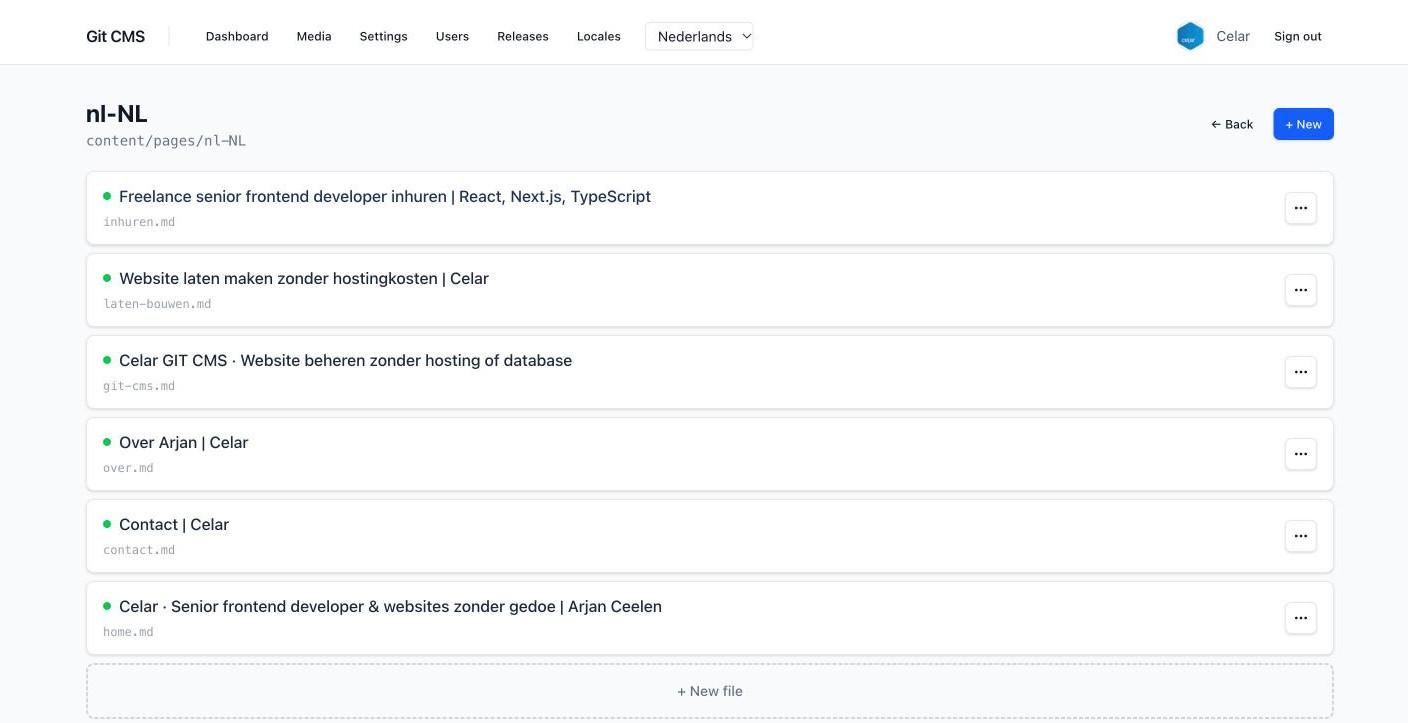
Pages are Markdown files with YAML frontmatter in your repository. No database, nothing extra to host or secure.
Every save is a commit — history, review and rollback come with GitHub.
Drafts and releases
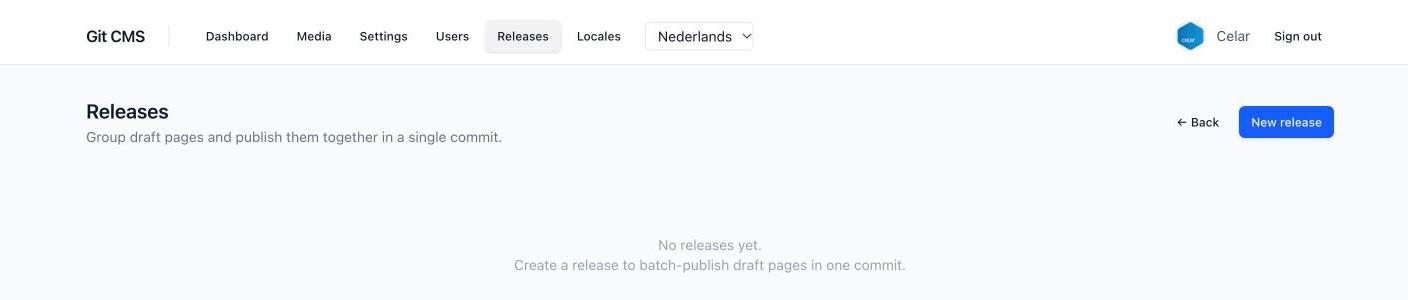
Editors work on drafts and publish a group of pages together in a single commit.
Localization without duplication of effort
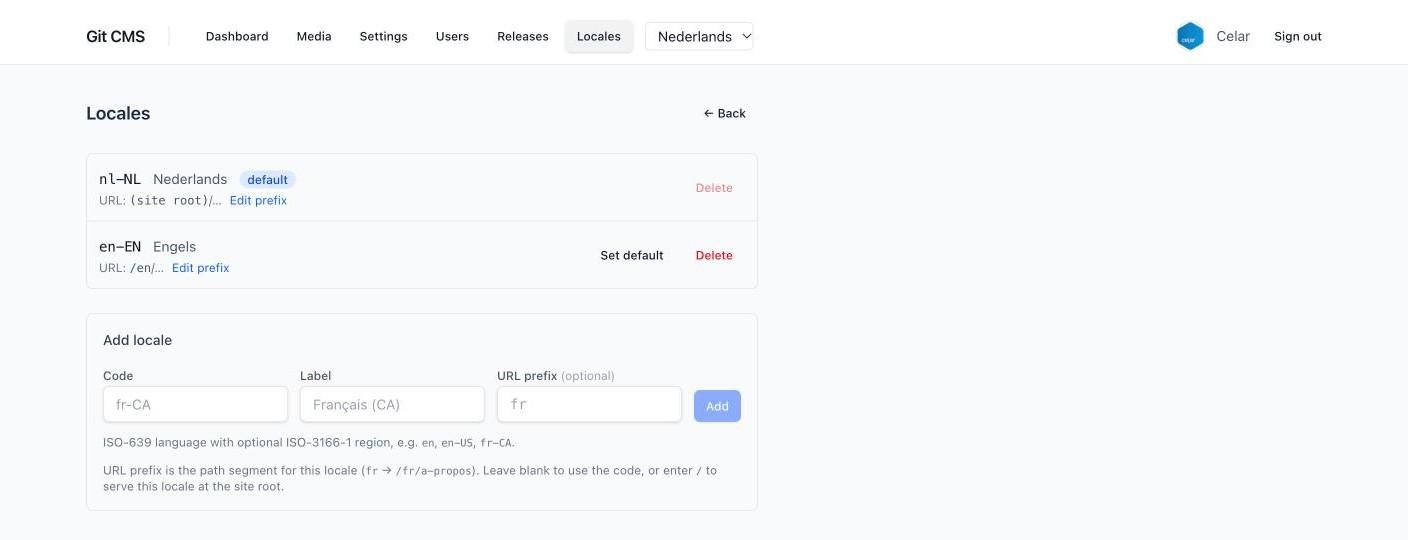
Turn on locales from the admin. Each page gets translation variants, linked by a translation key, with “copy from default” to start.
Give your editors a calmer CMS
Start a free 30-day trial on your own repository.